


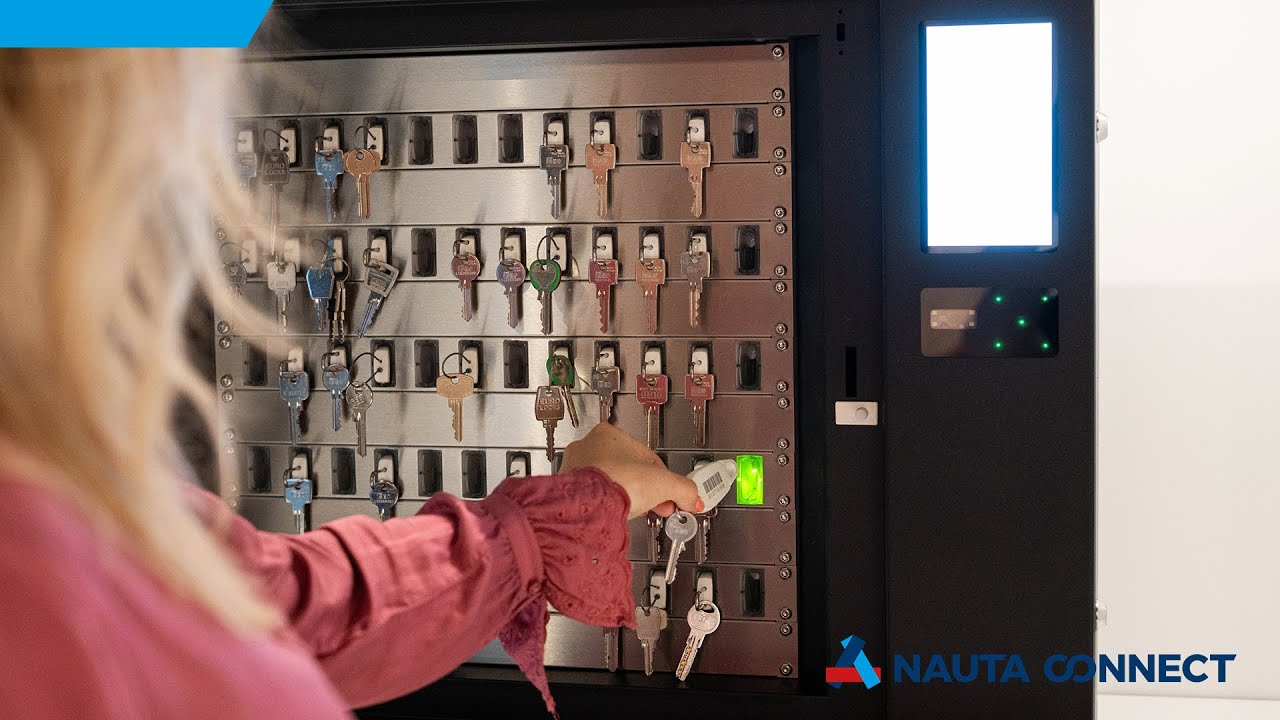
You keys are put on a KeyCop so that they can be managed electronically with the KeyConductor. The KeyCop is a fob which is securely attached to one or more keys. The KeyCop’s unique number is also engraved onto it by laser as a barcode and number.
The KeyCop is central to the key control system. To collect KeyCops, employees log on in the electronic key cabinet by means of a code, a pass or a tag. Once the authorised key is selected, it is unlocked and the key position is lit up. The Pick-to-Light system shows which KeyCop needs to be taken.
When the keys are brought back, the employee scans the barcode. The position then lights up where the key belongs. The lock closes immediately once the key is put back, so it can’t be taken again or replaced.
Want to learn more about how to organise your key management smartly, securely, and efficiently within your organisation? Download our key management whitepaper.
Time and cost efficient
Safety
Registration
100% insight
Integration with your IT environment
Increase your service level
Registration, control and reporting
How many keys do you manage? And who owns which key? With the Connect software, you manage your complete key management. We can host the Connect software in the cloud.
So you do not need to set up your own server and only need a web browser and internet connection to use the application.







If you are curious about our electronic lockers and key cabinets, read the cases below from all sorts of sectors, like universities, hotels, security, cash-in-transit, healthcare, transport and government institutions.
